Description
Key Features:
– Product key with official download link
– Lifetime access – No subscription required
– Compatible with Windows PC only
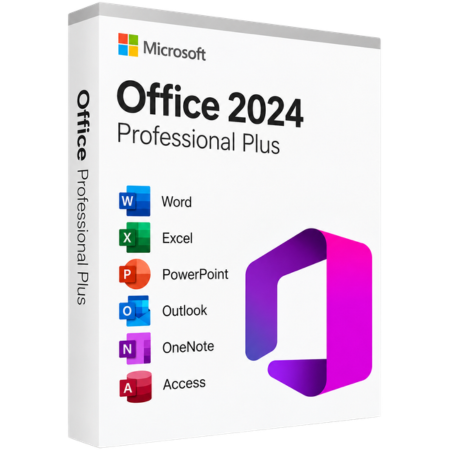
– Includes Access, Skype, Excel, OneNote, Outlook, PowerPoint, and Word.
– For use by one person on one device
– Designed for on-premises use in environments with limited internet connectivity.
What is Office Professional Plus?
Office Professional Plus is a one-time purchase version, perfect for home and professional needing a stable, feature-locked solution.
Unlike 365, Office Professional Plus does not include online services like Exchange Online or SharePoint Online. It’s built for environments where consistent functionality over the long term is a priority.
What’s New in Office 2024 Professional Plus?
– Enhanced accessibility tools across Word, Excel, PowerPoint, and Outlook.
– Insert pictures directly from an Android device into Word, Excel, and PowerPoint.
– Improved Draw tab and ink features in OneNote.
System Requirements:
– Processor: 1.1 GHz or faster, 2-core
– Memory: 4 GB RAM
– Storage: 4 GB available space
– Display: Minimum 1280×768 resolution (64-bit Office required for 4K+)
– Graphics: Direct3D 9.1 compatible with WDDM 1.3 driver or higher
– Operating System: Supports Windows 10, Windows 11, and LTSC versions of Windows 10/11
– Browser: Latest version of Edge, Chrome, or Firefox
– .NET: Some features may require .NET version 3.5 or 4.6 and above.
Activation Details
1. Receive Your Product Details
After your purchase, you will receive an official Office download link, your product key, and step-by-step activation instructions.
2. Download and Install Office
Use the provided download link to download Office 2024 Pro Plus and complete the installation process.
3. Open an Office Application
Launch Microsoft Word, Excel, PowerPoint, Outlook, or any included Office application after installation.
4. Activate Your Product
When prompted, enter the product key provided with your purchase and follow the on-screen instructions.
5. Complete Activation
Once the activation process is complete, your Microsoft Office 2024 Pro Plus will be ready to use.



Reviews
There are no reviews yet.